You turned on something that sends email for you. It says sent, and you believe it, because there is a tick next to the word. Mine said sent last week. The message went out from an address the client had never written to, so it landed outside the thread we were already in. The client saw a stranger. My system saw silence. Then it chased them again.
WHAT WORKS
Find the blanks nobody filled in.
Every automation you switch on has a list of questions it has to answer before it can act. Some of them you answered during setup. The rest it answers for you, quietly, out of your defaults, and it never mentions which ones those were.
Mine had two email accounts connected. Nothing ever asked me which one a reply should leave from, so it used the one I use most. The client had written to the other one.
Here is the part worth understanding. That is not a glitch. A glitch is occasional. A default applied to the wrong record is wrong every single time that record comes up, and it is confidently wrong, and it looks exactly like working.
Sent is a claim about your outbox. It is not a claim about the conversation.
The blanks are always the same handful. For anything that sends on your behalf:
- Which address it sends from, when you have more than one.
- Which name and signature ride on it.
- What time "9am" means when the recipient is in another country.
- Who it replies to when three people are on the thread.
- What it does when it is unsure. Skip, guess, or come and ask you.
For each of those, ask one question: does it read the answer off the thing it is acting on, or off your settings?
Off the thing it is acting on is correct. That client, that conversation, that invoice. Off your settings is a coin flip that lands the same way forever, and the day your work stops being uniform is the day it starts being wrong without telling you.
Then do the arithmetic, because it is worse than it sounds. Two connected accounts and one default is not a small error rate. Every conversation living on the second account is handled wrong, permanently, and none of it shows up as a failure. It shows up as clients who went quiet.
ONE PRACTICAL IMPLEMENTATION
The receipt test. Twenty minutes, once per automation, and you need a second email address you control.
Do not test with your main setup. Your main account, your usual client, your own timezone. That is the configuration you built the thing in, so every blank gets filled correctly by accident and you learn nothing.
Test the second-most-likely case instead. Second address, client in another timezone, thread with two people on it.
Send one real item. Then open the recipient's mailbox and read the message as they would, checking four things:
- The From address. Is it the one they would recognise, and the one they wrote to?
- The thread. Did it join the conversation, or start a new one that looks like cold outreach?
- The name and signature. Does it match the person they think they are dealing with?
- The timestamp, in their local time, not yours.
Then the fifth check, and this is the one that caught mine.
Go back into the automation and look at what it now believes. Did it record that a message went out on that conversation? If the client replied to what you sent, did it see the reply, and did it stop chasing?
That is where my failure actually lived. The message was fine to read. It was in the wrong conversation, so the system that sent it could not see its own work, decided nothing had happened, and queued another nudge at a client who had already heard from me twice.
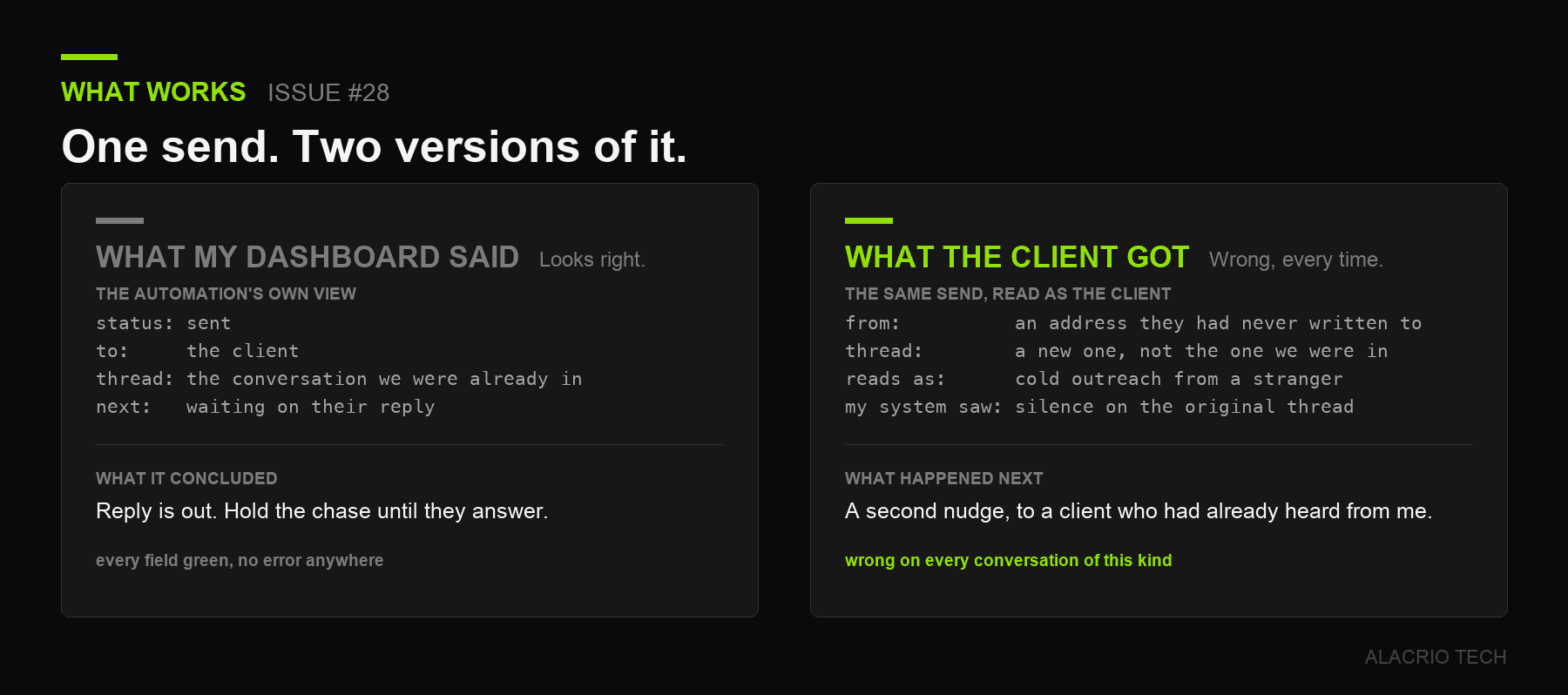 One send, seen from both ends. On the left, what my dashboard reported. On the right, what actually landed in the client's inbox.
Four checks tell you what the client received. The fifth tells you whether your automation knows what it did.
WHAT DOESN'T WORK
- Trusting the word sent. It means the message reached a mail server. It says nothing about which conversation it joined or which address it wore.
- Assuming the vendor tested this. They tested that mail leaves. Which of your two addresses it leaves from is your configuration, not their test.
- Reading silence as an answer. When a client goes quiet, one of the live possibilities is that the thing they received did not look like it came from you.
- Fixing it in the one place you noticed. The setting that picks your sending account is usually copied into every feature that sends, so the reply gets fixed and the reminder, the receipt and the chase stay broken.
- Checking the dashboard instead of the mailbox. The dashboard reports what the automation intended. Only the recipient's inbox reports what happened.
ONE THING TO DO THIS WEEK
Pick the one automation that sends things to clients. Twenty minutes, no tooling.
- List every blank it fills without asking you: sending address, display name, signature, timezone, who it replies to.
- Next to each, write where the answer comes from. Your settings, or the record it is acting on.
- Send one live item to a second address you own, using your second-most-likely case rather than your usual one.
- Read it as the recipient, then go back and check what the automation recorded.
- Change nothing this week. The list is the deliverable.
An automation is a stack of decisions somebody made about your business, and the ones you never saw were made by a default. Alacrio runs my follow-ups now, and I trust it because I can open any conversation and read back what it decided and why it decided it.
Which of your automations have you never checked from the recipient's side? If you want a second pair of eyes on one, book a free consultation.
Get the Operator in your inbox
Each Saturday I send you the Operator: an email you can send to win a client, or a template that takes a chore off your plate.
Unsubscribe anytime. I never share or sell your address.
Start with the number
You cannot fix a leak you have not found. Four minutes, twelve questions, and you will know how many hours a week you are losing and which kind they are.
Take the Manual Work ScorecardFree. No call required.